Unstaking Without a UI
This article guides you through the process of unstaking without access to the standard Serenita or StakeWise web interfaces.
This process is advanced and not intended for normal use, but it is useful to know that:
- it is possible (should it ever be necessary)
- you do not rely exclusively on any frontend operated by Serenita or third parties
Advanced / manual procedure
This process requires interacting directly with smart contracts through a block explorer. Incorrect inputs may result in failed transactions or unintended behavior.
Only proceed if you understand the steps involved and are comfortable interacting with smart contracts manually.
Requirements
Before starting, ensure you have:
- the wallet that originally staked ETH (or GNO)
- enough ETH (or xDAI) for gas fees
- the correct network selected in your wallet
Identify the smart contract that you'll interact with
- Ethereum: 0xB36Fc5e542cb4fC562a624912f55dA2758998113
- Gnosis Chain: 0x00025C729A3364FaEf02c7D1F577068d87E90ba6
- Hoodi (Ethereum testnet): 0xF92efF17aC8cEF8e45dEc00AbdCD8788ecF83309
Determine the number of shares to unstake
Shares vs assets
The smart contracts internally account for your staked assets as shares.
Use the convertToAssets function to convert shares to the corresponding asset
amount (returned in Wei units).
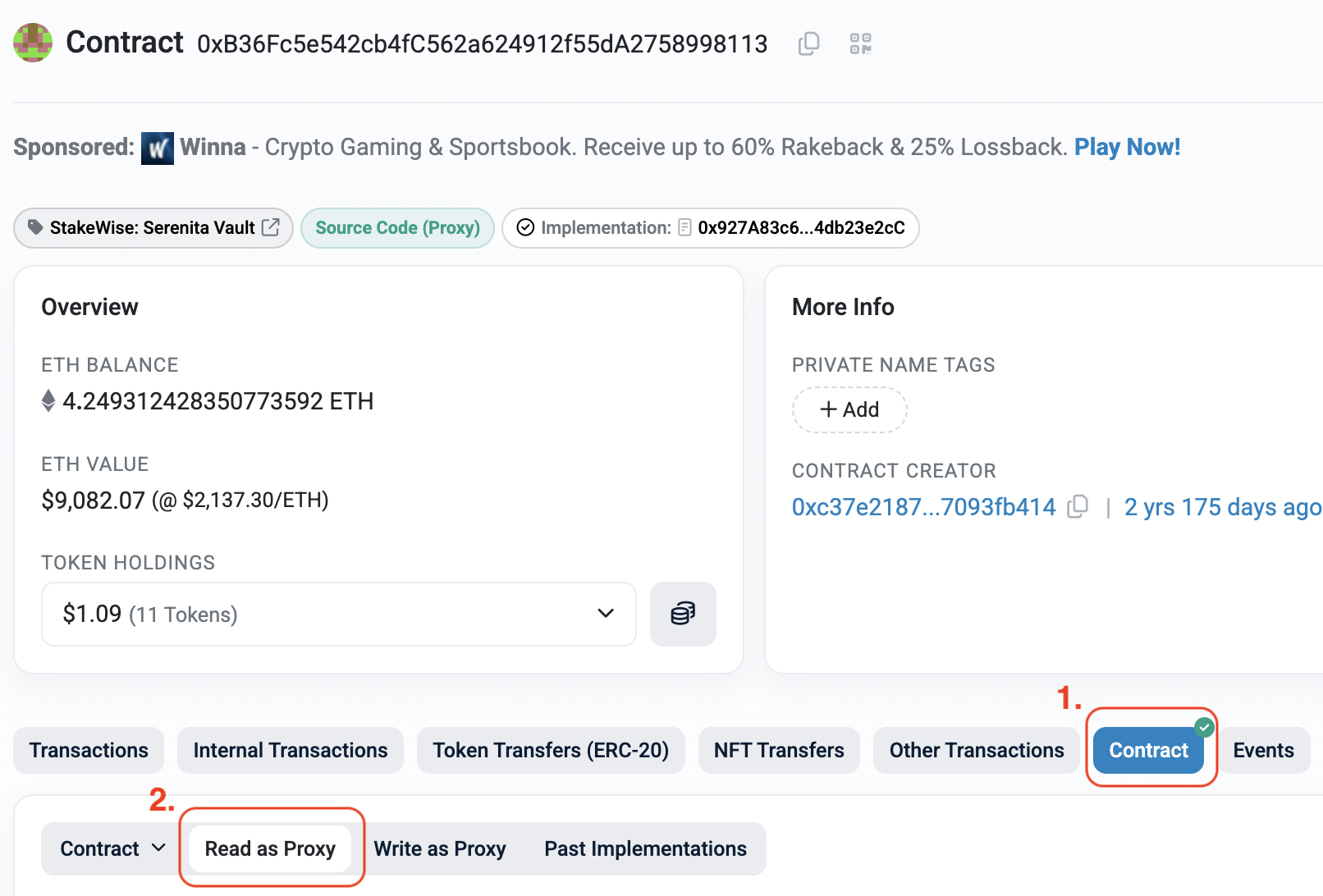
You can get the total number of shares owned by your address by navigating
to Contract -> Read as Proxy. "Read" actions are not transactions and
are completely free. Find the getShares function, enter your address and click
the Query button:
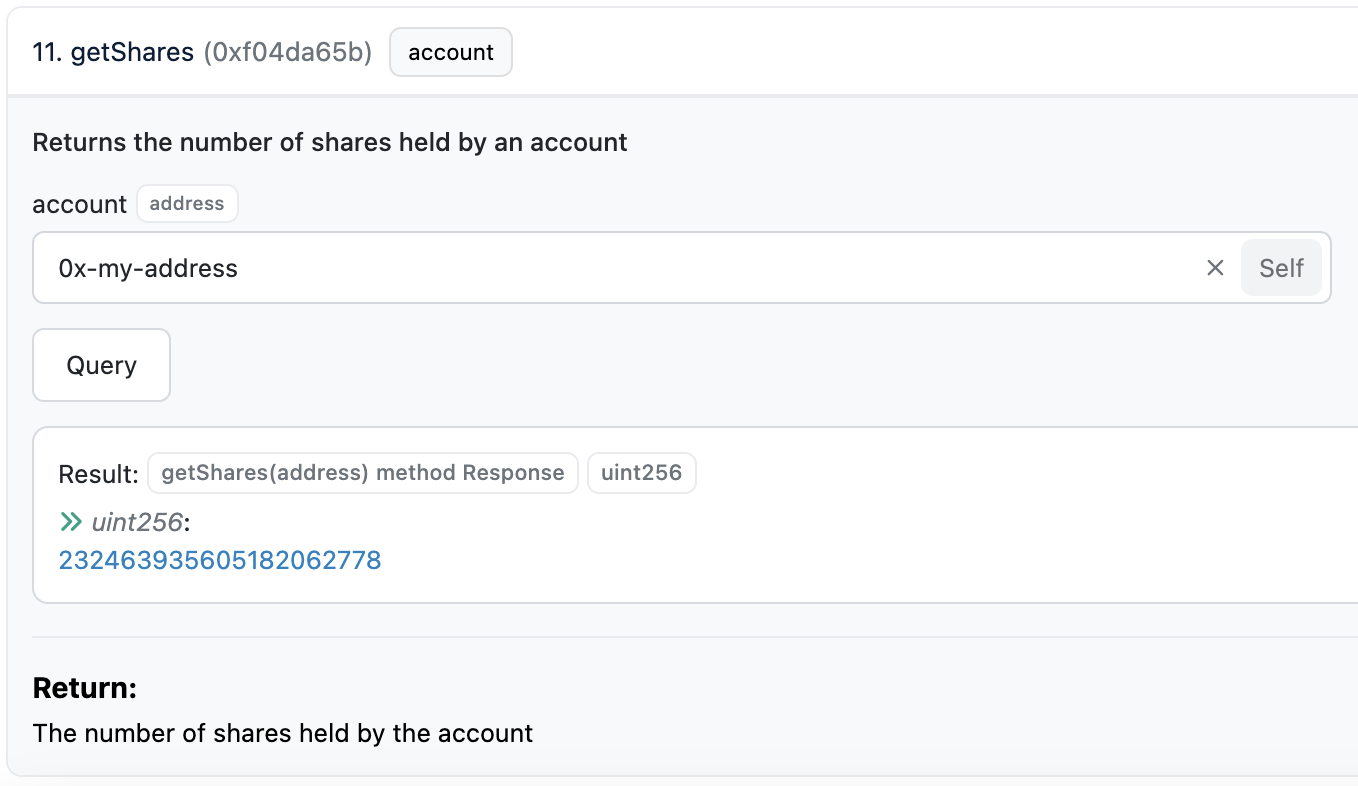
You may choose to unstake either all or only a portion of your shares.
Enter exit queue
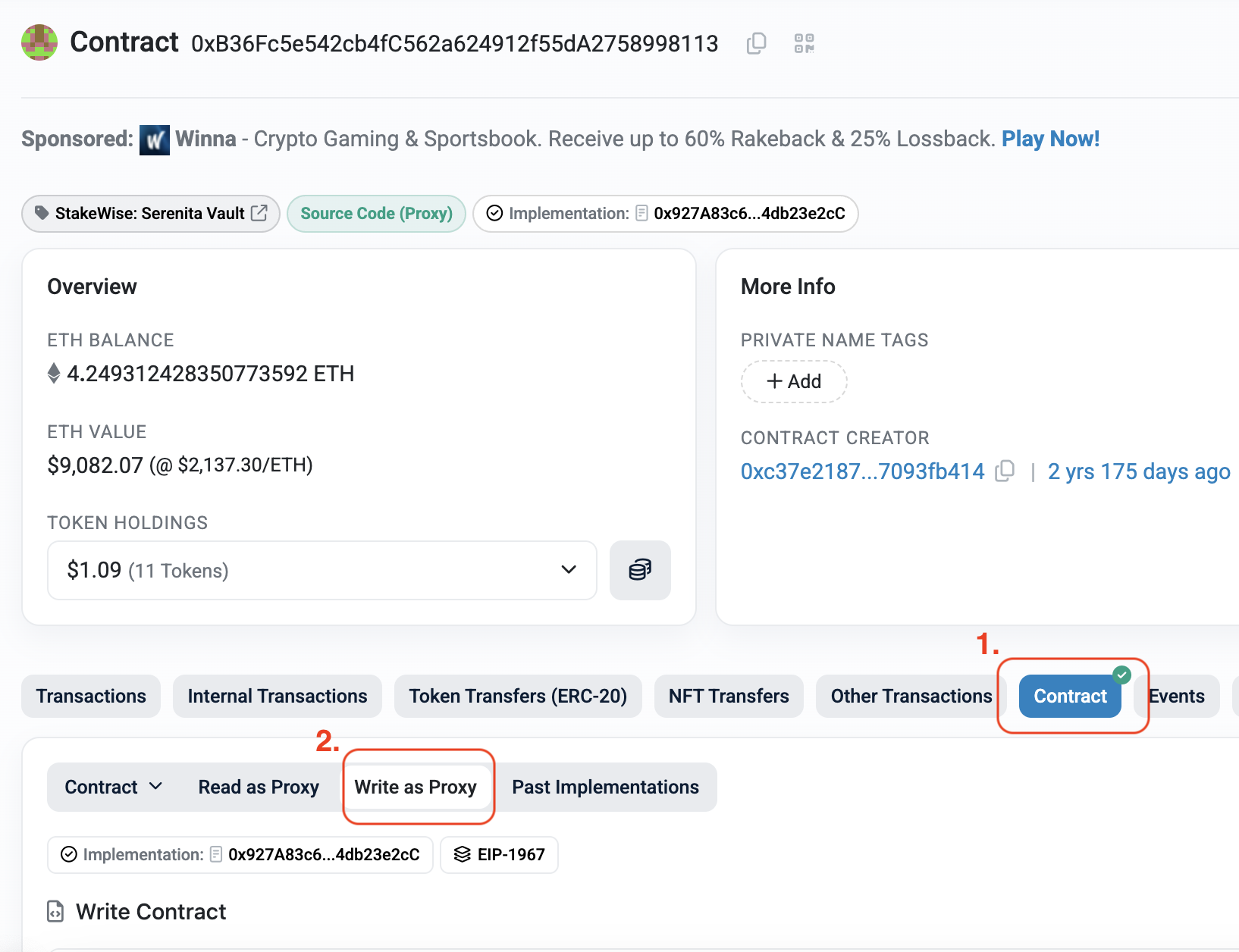
To begin the actual unstaking process we'll navigate to Contract → Write as Proxy. In order to write to the contract you'll need to connect your wallet.

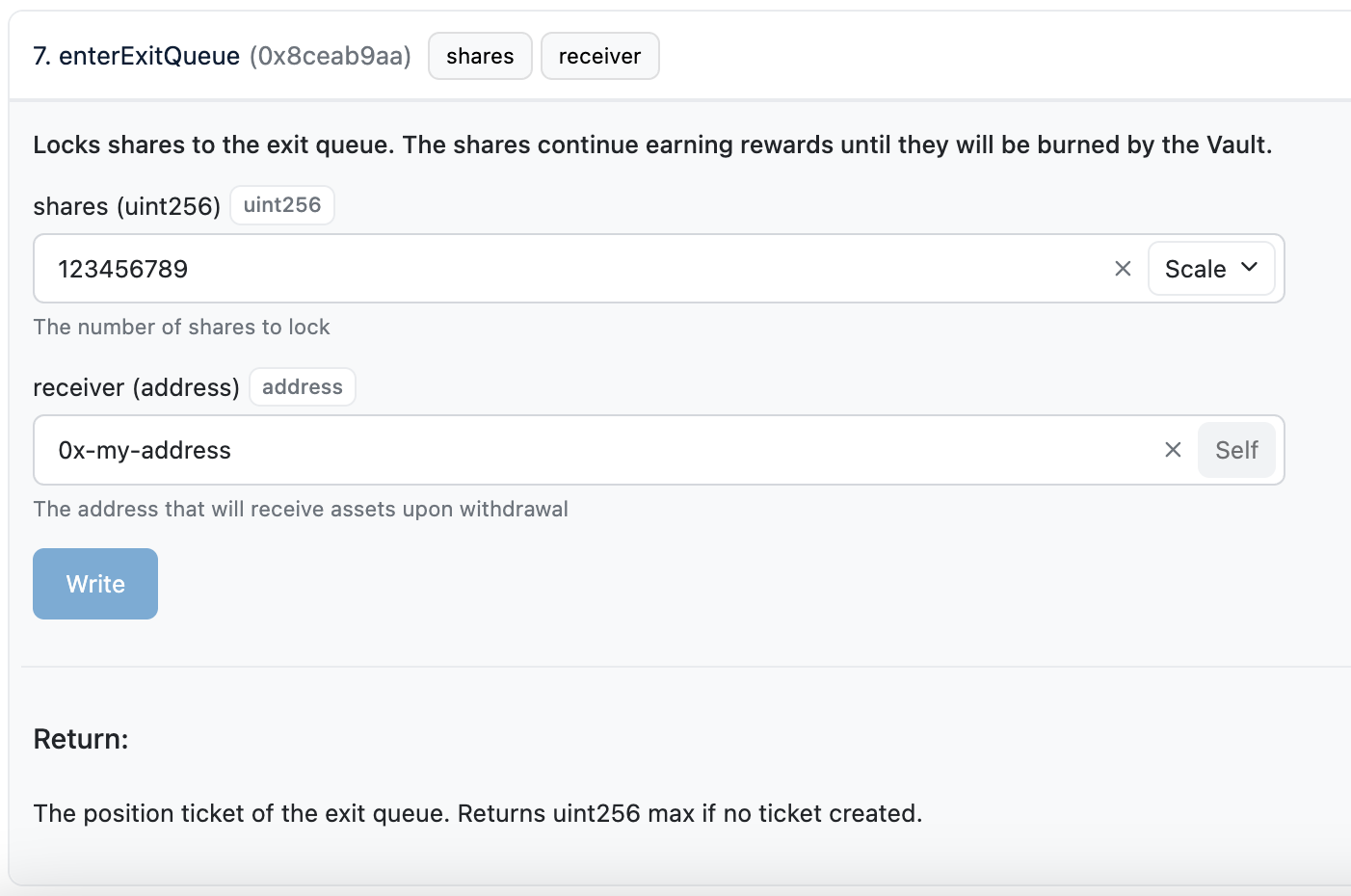
Once connected, enter your data as inputs to the enterExitQueue function
and click on Write:
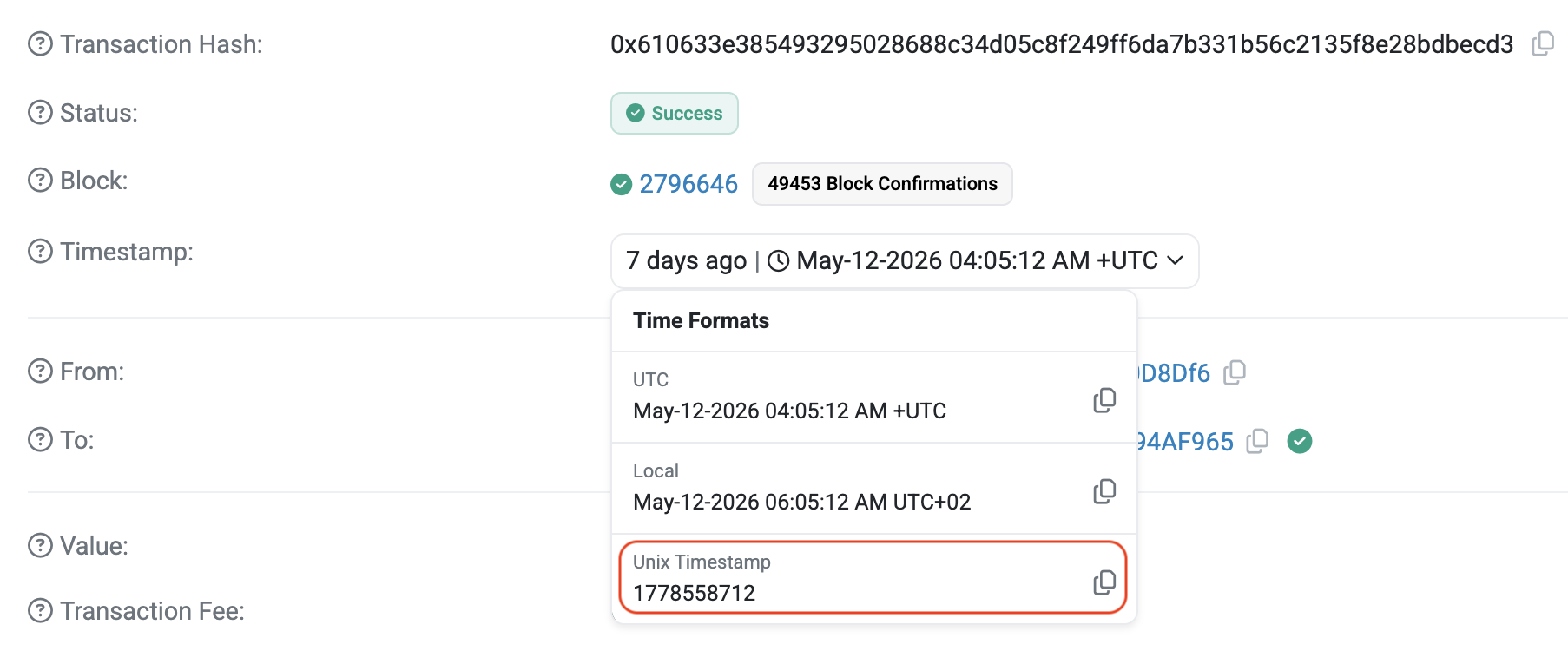
Wait for the transaction to confirm, then open the transaction details. We'll need two values from this transaction to claim the exited assets later on. The first of these is the Unix timestamp of the transaction, which you can find by expanding the timestamp field in the explorer:
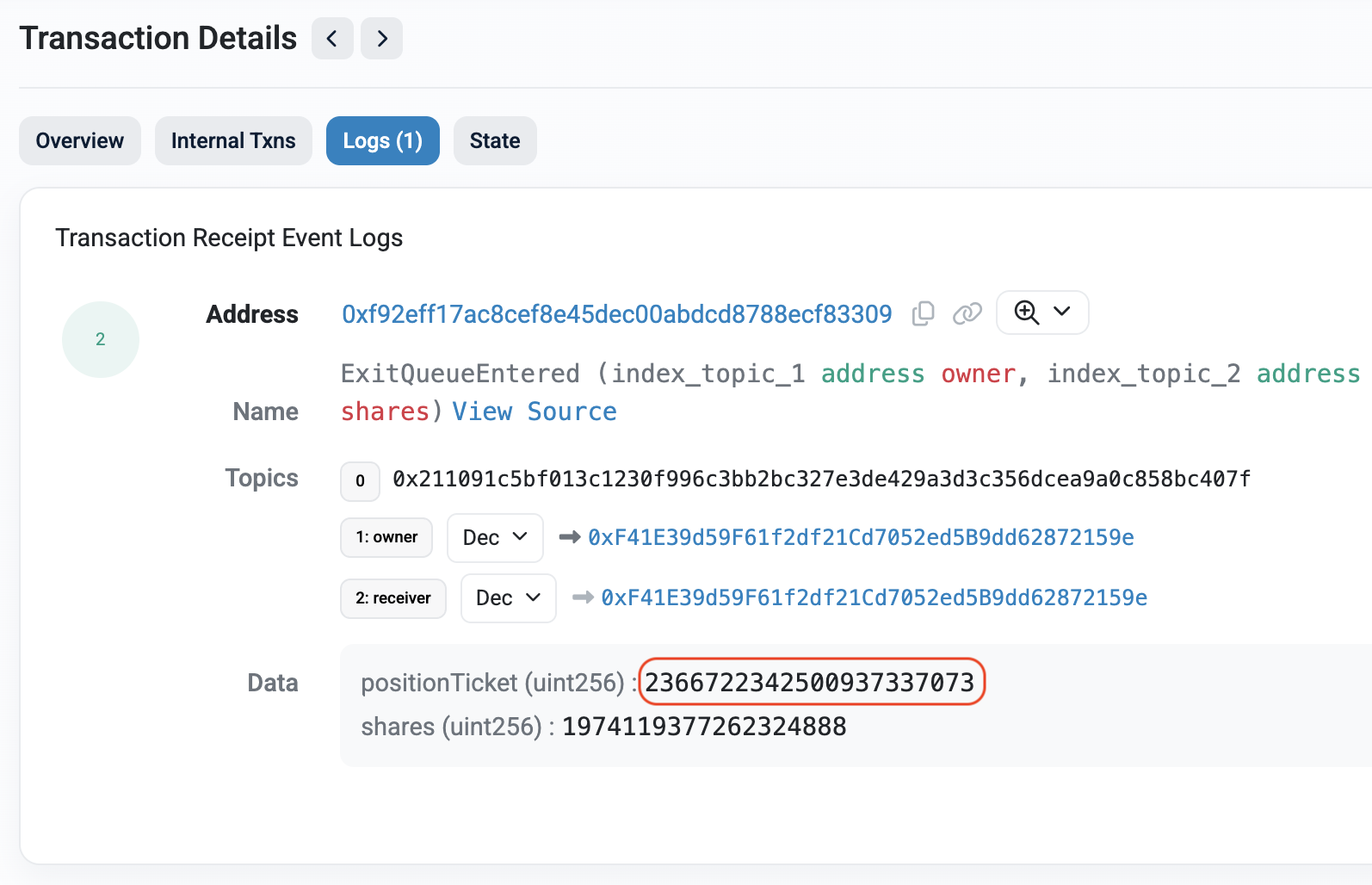
Next, open the Logs tab. You'll see a positionTicket number associated
with your exit request – we'll also need this later.
You have successfully initiated the exit! You'll now need to wait for the assets to be withdrawn from the beacon chain. How long this takes mostly depends on the number of validators exiting the beacon chain at the same time. Take a look at validatorqueue.com to get a rough estimate of how long this may take.
Claim exited assets
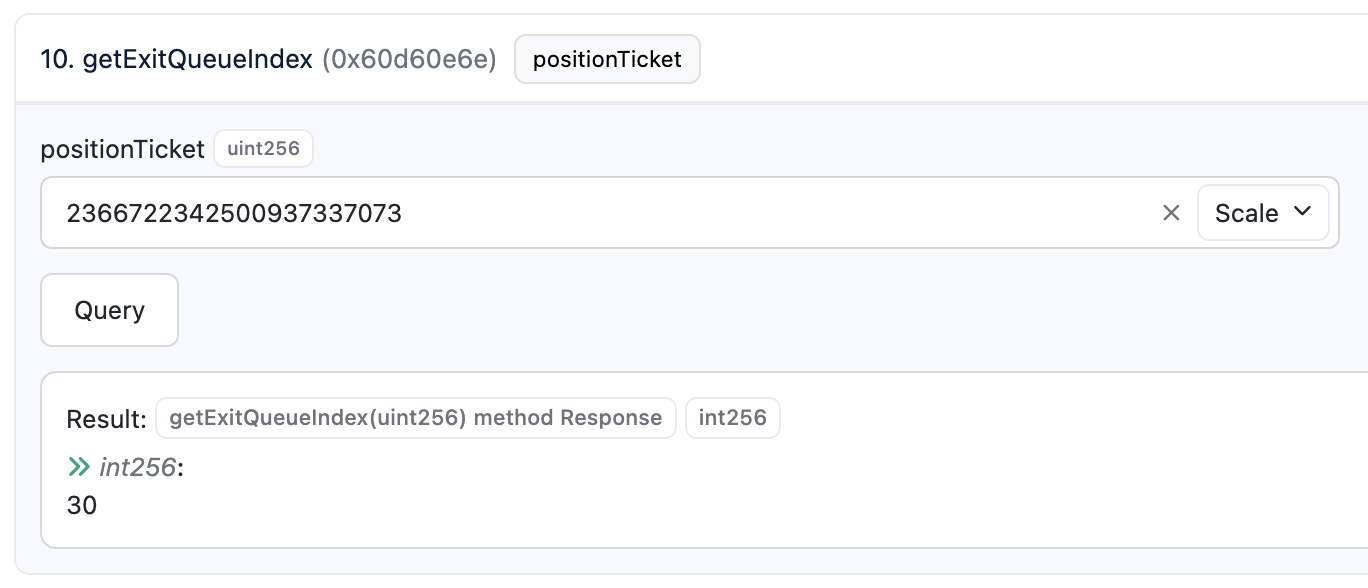
The last parameter we need to call the claimExitedAssets function is the
exitQueueIndex. To get its value, navigate back to the smart contract and
use the Read as Proxy tab to query the getExitQueueIndex function.
If you query this function right after entering the exit queue, it will return
a value of -1, meaning an index has not yet been assigned. Wait until the
function no longer returns -1 (this will normally take a few hours).
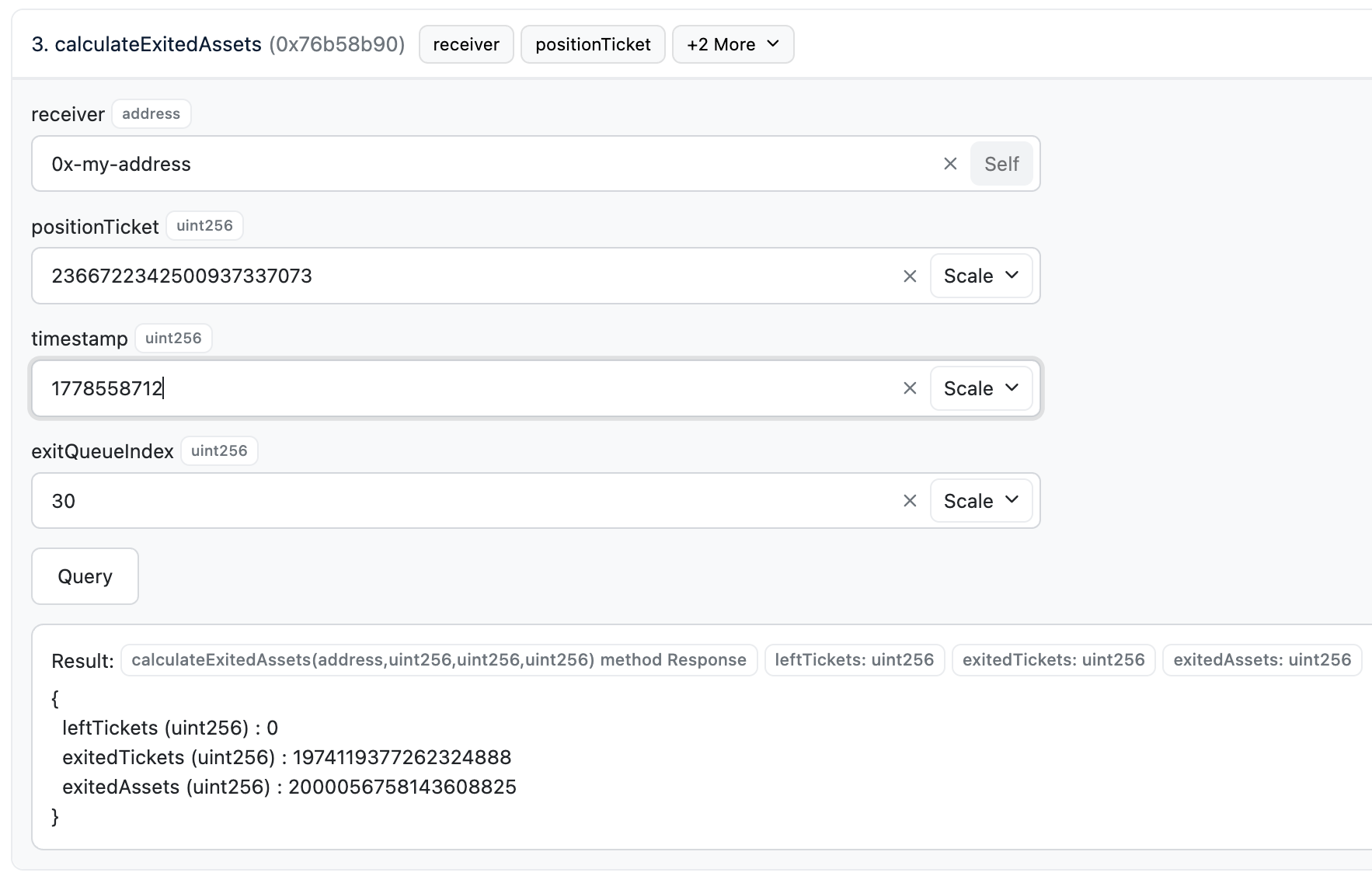
Once an exitQueueIndex has been assigned, you can check whether your assets
are ready to be claimed using the calculateExitedAssets function. The
screenshot below shows assets have been exited and are ready to claim:
To claim the exited assets, navigate to the Write as Proxy tab and call
the claimExitedAssets function:
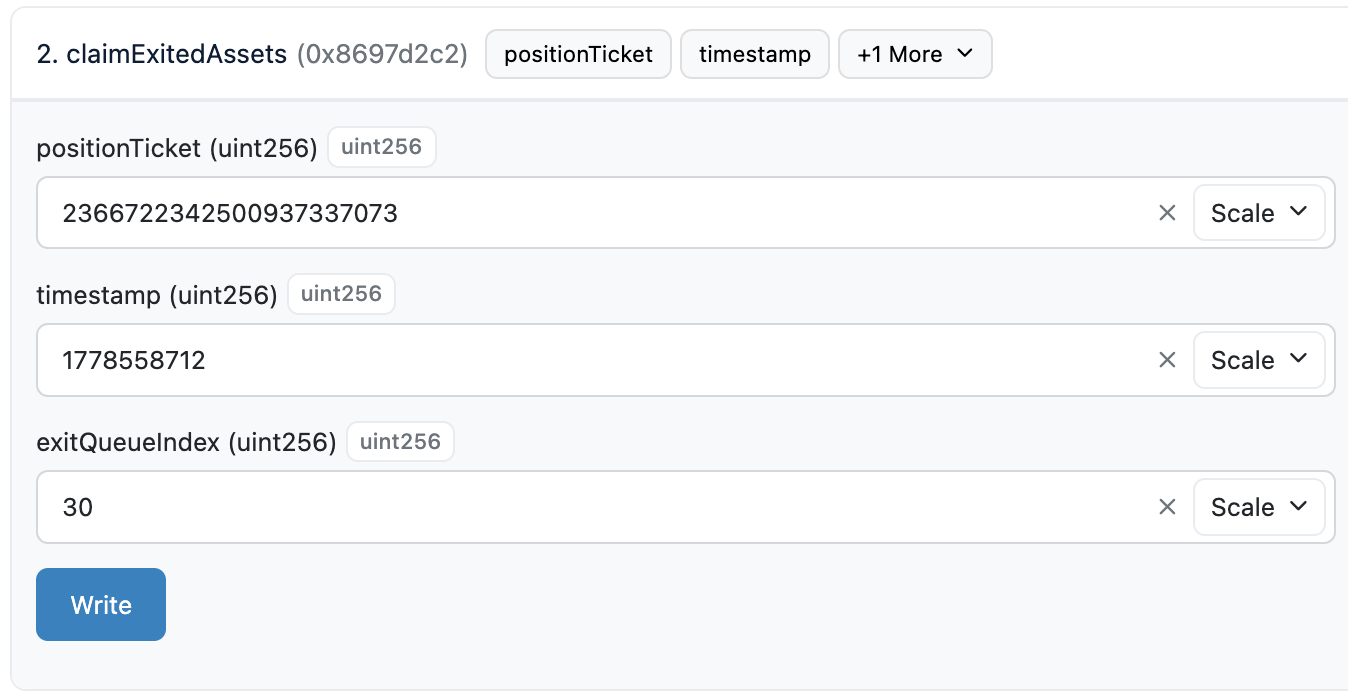
Click on Write and wait for the transaction to confirm. The exited assets will now appear in your wallet!
FAQ
What happens if Serenita is unavailable?
Users can still interact directly with the underlying StakeWise smart contracts, including entering the exit queue and claiming exited assets, using a block explorer as described above.
Can I host a UI myself locally?
Yes, you can run the following open-source user interface fully locally with any StakeWise Vault including ours.
Does Serenita need to do/approve anything in the above flow?
No action is strictly required from Serenita. If Serenita refuses to honor an exit request for any reason, StakeWise oracles ensure that assets are exited from the beacon chain as a fallback.
Why can't I trigger a withdrawal/exit directly using EIP-7002?
This is due to the nature of the smart contracts in use – they form a pooled staking solution, meaning no single validator belongs to any single user (unless a private Vault is being used).
As a result, withdrawals must go through the Vault's accounting and exit queue logic rather than being triggered directly by individual users.